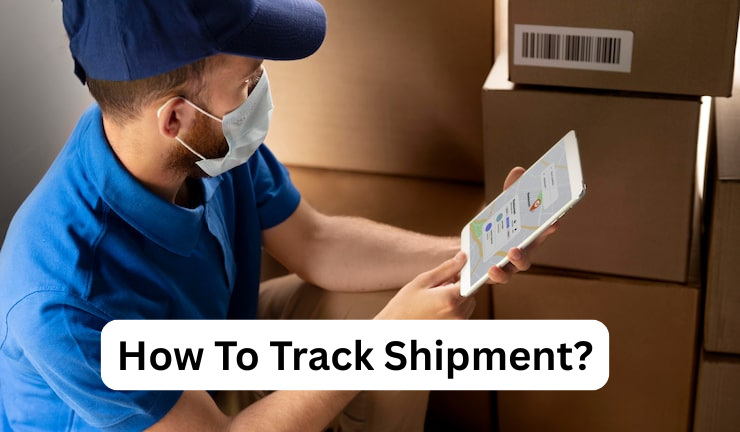
Shipment tracking is no longer optional. With faster shipping promises and more cross-border orders, people want real-time delivery updates they can trust. Tracking improves logistics visibility for shippers, gives customers clear parcel status and ETA estimates, and reduces “Where is my order?” contacts. It also helps teams spot exception alerts, confirm proof of delivery, and react to delays at a distribution center or during customs clearance. When everyone sees the same timeline, disputes drop and service teams move faster.
That clarity protects revenue and strengthens repeat purchases. It keeps teams aligned, supports smarter routing, and builds confidence in every delivery.
What “shipment tracking” actually means
Shipment tracking is the process of following a package or freight load as it moves through the shipping network, using identifiers and scan records to show where it is and what happened last. In practical terms, it is a shipment trace that turns physical movement into tracking events you can read: picked up, in transit, arrived at hub, out for delivery, delivered, or delayed.
For customers, tracking means a consistent view of delivery progress and estimated arrival so they can plan around a delivery window.
Tracking is not always GPS. Most consumer shipments rely on carrier scan data taken at checkpoints. Some high-value logistics also include real-time location tracking, geofencing, or IoT sensors, but the core idea stays the same: a reliable status timeline that turns updates into decisions.
These identifiers help carriers and shippers match your shipment to their systems and show tracking history accurately.
- AWB (Air Waybill): Common in air cargo. An air waybill number links the shipment to airline handling, cargo manifest records, and airport scan events.
- BOL (Bill of Lading): Common in freight and ocean. A freight bill of lading is a contract and receipt used for freight documentation, cargo ownership, and shipment release.
- PRO number: Common in LTL freight. A PRO tracking number is the carrier’s main shipment identifier for freight status updates and terminal scans.
- Tracking ID: The public-facing parcel tracking number used by courier networks for last-mile tracking and proof steps.
- Reference number: A shipper-created shipment reference used to search when the tracking ID is missing, often tied to purchase order tracking or invoices.
What you need before you track a shipment
To avoid dead ends and wrong results, gather a few basics first. Good tracking is about matching the right identifier to the right carrier system.
- The primary tracking number (or the most relevant ID: AWB, BOL, or PRO).
- The correct carrier name (UPS, DHL, FedEx, USPS, a regional courier, or an LTL carrier).
- The shipment’s origin and destination (helpful when carriers share similar number formats).
- The expected ship date or pickup date, so you can judge whether “Label created” is normal.
- If it is cross-border: the destination country code and sometimes the postal code requirement for verification.
- For marketplace orders: your order confirmation email and any shipment notification links.
- For freight: key shipping documents (BOL copy, booking confirmation, invoice references) to support freight tracking lookup.
If tracking fails, verify you are not mixing identifiers (for example, using an order number in a carrier tracker). Also check whether the shipment is handled by a partner carrier, which may require a different portal for accurate delivery status.
Tracking number vs order number
An order number is created by the seller or marketplace to manage your purchase. A tracking number is created by the carrier to manage transport. They live in different systems, which is why an order lookup often works on a retailer site, but fails on a carrier site.
Your order number ties together payment, items, fulfillment, and customer service. Your tracking ID ties together pickup scans, hub sorting, linehaul movement, and delivery confirmation. Many sellers generate a tracking number only after the label is created, so you might see “Preparing shipment” before any carrier scan exists. That is normal: the package has not entered the carrier network yet.
If you only have an order number, start with the retailer or marketplace page to find the carrier and tracking ID. If you already have the tracking number, go to the carrier portal for the most accurate in-transit updates and delivery attempt details. For businesses shipping multiple parcels, mapping order-to-tracking is crucial for order-to-delivery visibility, better customer notifications, and fewer disputes around delivery confirmation or missing items.
Destination country and postal code (when required)
Some tracking systems ask for a destination country or postal code as an extra verification step. This is common for international parcel tracking, postal networks, and certain cross-border consolidators. The goal is to prevent unauthorized lookups and reduce accidental matches when numbers are reused or formatted similarly.
If a tracker requests a postal code, enter the destination postal code exactly as used on the shipping label. A mismatch can block access or show limited details. For countries with different formats, the system may require a specific postcode format (with or without spaces). When the shipment crosses borders, you may see a delay between export scans and import scans due to customs processing time, handover delays, or local carrier integration.
Country selection matters too. Some portals route your query to the correct regional network, improving tracking visibility and the completeness of status events. If your shipment uses a partner carrier for the last mile, the destination country often determines which partner provides the final out-for-delivery updates and delivery confirmation.
If your tracking stalls at “Arrived in destination country,” it often means the shipment is awaiting customs release or a local induction scan, not that it is stuck forever.
Tracking on the carrier website
Carrier websites usually provide the most authoritative status because they pull directly from the carrier’s operational systems. You will often see richer details like facility names, delivery attempts, and proof of delivery (signature image or delivery location) depending on service. This is especially helpful for delivery dispute resolution and claims.
To use a carrier site effectively, enter the correct tracking ID and double-check the carrier brand, because many brands have regional domains and partner portals. Look for the latest scan time and location, then interpret the flow: pickup scan, hub sort, linehaul move, destination hub, and last-mile delivery. If the site offers it, turn on delivery alerts, add the shipment to your account, or use the carrier’s mobile app for faster push notifications.
Carrier trackers also clarify common ambiguous statuses. “Label created” means the label exists but the carrier has not received the package. “In transit” can mean it is moving between hubs. “Delivery attempted” suggests a reattempt window or pickup option. For international shipments, carrier sites may show customs status and handover events, improving international tracking accuracy compared to third-party portals.
Tracking from the retailer or marketplace page
Retailer and marketplace tracking is convenient because it links your order and shipment in one place. It is best when you only have an order number, or when a marketplace uses multiple carriers and automatically routes you to the right carrier tracking link. Many marketplaces also translate carrier statuses into simpler language and combine updates for split shipments.
However, retailer tracking can lag. Some pages refresh carrier data on a schedule, so you might see fewer details than on the carrier portal. If you need precise facility scans, delivery attempt notes, or proof of delivery, switch to the carrier website using the tracking ID shown on the order page.
Retailer tracking is still valuable for context: it can show when the order was packed, when the label was generated, and whether items shipped in multiple boxes. It can also show the fulfillment status, refunds, replacements, and customer support options in one workflow. If your order is delayed, the retailer page may offer self-serve actions like address corrections, delivery instructions, or initiating a missing package claim.
For best results, use the retailer page to find the right tracking ID and carrier, then use the carrier site for the most detailed movement history.
Tracking through email and SMS updates
Email and SMS tracking updates work best for people who do not want to check portals repeatedly. Most carriers and retailers can send shipment notifications at key milestones: label created, shipped, out for delivery, delivered, and exception. These alerts reduce missed deliveries and help customers adjust plans around a changing ETA.
To make these updates reliable, confirm your contact details at checkout and check your spam folder for shipping emails. Some carriers allow you to subscribe directly using your tracking ID, which can provide more accurate alerts than a retailer feed. SMS is often fastest, especially on delivery day, but availability can depend on the country and carrier.
Be cautious with links. Use trusted sender addresses and avoid suspicious messages that request payments or personal data. If in doubt, copy the tracking number from the message and paste it into the carrier’s official website. For businesses, email/SMS updates can be integrated into customer service workflows to reduce support load and improve delivery communication.
If alerts stop suddenly, it does not always mean the shipment stopped. It can indicate notification settings are off, the shipment moved to a partner carrier, or the retailer’s system is not refreshing. In those cases, switch to direct carrier tracking for the latest status timeline.
Tracking by shipping type
Tracking looks different by mode because networks, scan points, and identifiers change.
- Courier / parcel (last-mile): You will see frequent last-mile scans, “out for delivery,” delivery attempts, and clear proof of delivery. Best for consumer orders and small packages.
- Freight (LTL / FTL): Updates are often terminal-based with fewer scans. Expect pickup confirmation, terminal arrival, linehaul moves, appointment scheduling, and POD documents for delivery.
- Air cargo: Tracking centers around AWB milestones, flight departures, arrivals, and handover to ground handlers. You may see airport station codes and “manifested” status.
- Ocean freight: Tracking uses BOL/booking references, vessel departure and arrival, transshipment ports, and container tracking events. Expect longer gaps due to fewer scan points.
- Rail freight (where applicable): Updates may show rail yard events, interchange points, and estimated arrival at destination terminal, often with broader time windows.
If you are tracking a shipment and the event names feel unfamiliar, identify the shipping type first. It tells you how often to expect updates and what “normal” delay patterns look like.
How to track multiple shipments at once
If you are tracking many shipments, the goal is to reduce manual copy-paste work while improving visibility. The simplest method is using a third-party portal that supports bulk tracking and auto-detects carriers. Many platforms let you upload a list, apply tags (customer name, order ID, lane), and monitor exceptions on one screen.
For businesses, a better approach is centralized tracking through a tracking dashboard integrated with your order system. You can store tracking numbers alongside orders, then use carrier API integrations to pull updates automatically. This enables proactive customer notifications and internal exception workflows. Another method is using a spreadsheet with tracking IDs and carrier names, then linking to the carrier tracking URLs for quick access.
When volume grows, prioritize exception handling over “watching everything.” Set rules for no-movement alerts, late deliveries, repeated delivery attempts, or customs delays. Then your team focuses on the shipments that need action.
If you manage freight, consider EDI feeds (where available) or freight portals that support PRO/BOL batch searches. Always standardize the identifier format and capture carrier + service type, because mixed formats are the biggest source of tracking errors at scale. The best system is the one that turns tracking data into decisions, not just status reading.
Conclusion
Shipment tracking is a practical tool for clarity, not just a convenience feature. When you understand what tracking is built from, you can read updates with more confidence and take the right next step when something looks off. The key is matching the right identifier (tracking ID, AWB, PRO, or BOL) to the right carrier portal, then interpreting the timeline as a series of milestones rather than a perfect GPS map.
For personal shipments, tracking helps you plan deliveries, avoid missed attempts, and confirm proof of delivery quickly. For businesses, it reduces support load, strengthens customer trust, and improves operational decisions through better visibility and exception handling. The most common tracking problems are simple: using the wrong number type, expecting scans before pickup, or relying on a portal that updates slowly.
If you remember one rule, make it this: use the retailer page to find the correct carrier and tracking ID, then use the carrier portal when you need the most accurate details. Turn on notifications where possible, and focus your attention on exceptions rather than normal movement. With that approach, tracking becomes less frustrating and far more useful across parcel, freight, and global shipping.
For more information, visit HET Hub!
FAQs
Why does tracking say “Label created” for a long time?
The label exists, but the carrier may not have received the package yet, or the first scan was missed.
What does “In transit” actually mean?
It is a broad status that can include multiple facility moves, linehaul transport, or waiting for the next processing scan.
Tracking shows “Delivered,” but I did not get it. What should I do?
Check the delivery location notes, ask household members, and review proof of delivery details if available. If still missing, contact the carrier and the seller.
Why do international shipments stop updating after departure?
Updates may pause during customs, handover to a partner carrier, or because the next network has not posted an induction scan yet.
Can I track freight with a normal parcel tracker?
Usually not. Freight often requires a PRO or BOL and a freight-specific carrier portal for accurate status and POD documentation.